Contributing Autorouting Datasets
Autorouting datasets help develop new features for specific cases. If you are
running into an autorouter issue, you may be able to generate a dataset: start
with a tsci init project, create samples that replicate the issue, and put the
dataset into a repo that can be tested directly with our autorouter.
Start from an existing dataset
Before creating a new repository, inspect the latest dataset in the same family and copy its structure. These repos are good bootstrapping references:
tscircuit/dataset-srj19for a generated Simple Route JSON dataset with a Cosmos sample viewer.tscircuit/dataset-srj18for a dataset generated from KiCad boards.tscircuit/tscircuit-autorouterfor the current autorouter benchmark integration.
Use the Simple Route JSON reference when
you need field-level details for bounds, obstacles, connections, layers,
and traces.
Name the dataset
Use the
Dataset Naming Guidelines
for dataset naming conventions. In brief, increase the number from the latest
known dataset in the same prefix and use two digits, such as 01, 02, or
19.
Keep the package GitHub-installable
Dataset packages should install directly from GitHub because the autorouter pins dataset dependencies to repository commits. Follow the Dataset Library Structure guidance, then compare your package structure against the reference dataset repos above.
If the dataset starts from Circuit JSON, follow
Creating Simple Route JSON from Circuit JSON.
The dataset-srj18 README shows
that flow for KiCad-derived samples.
Add a visualization
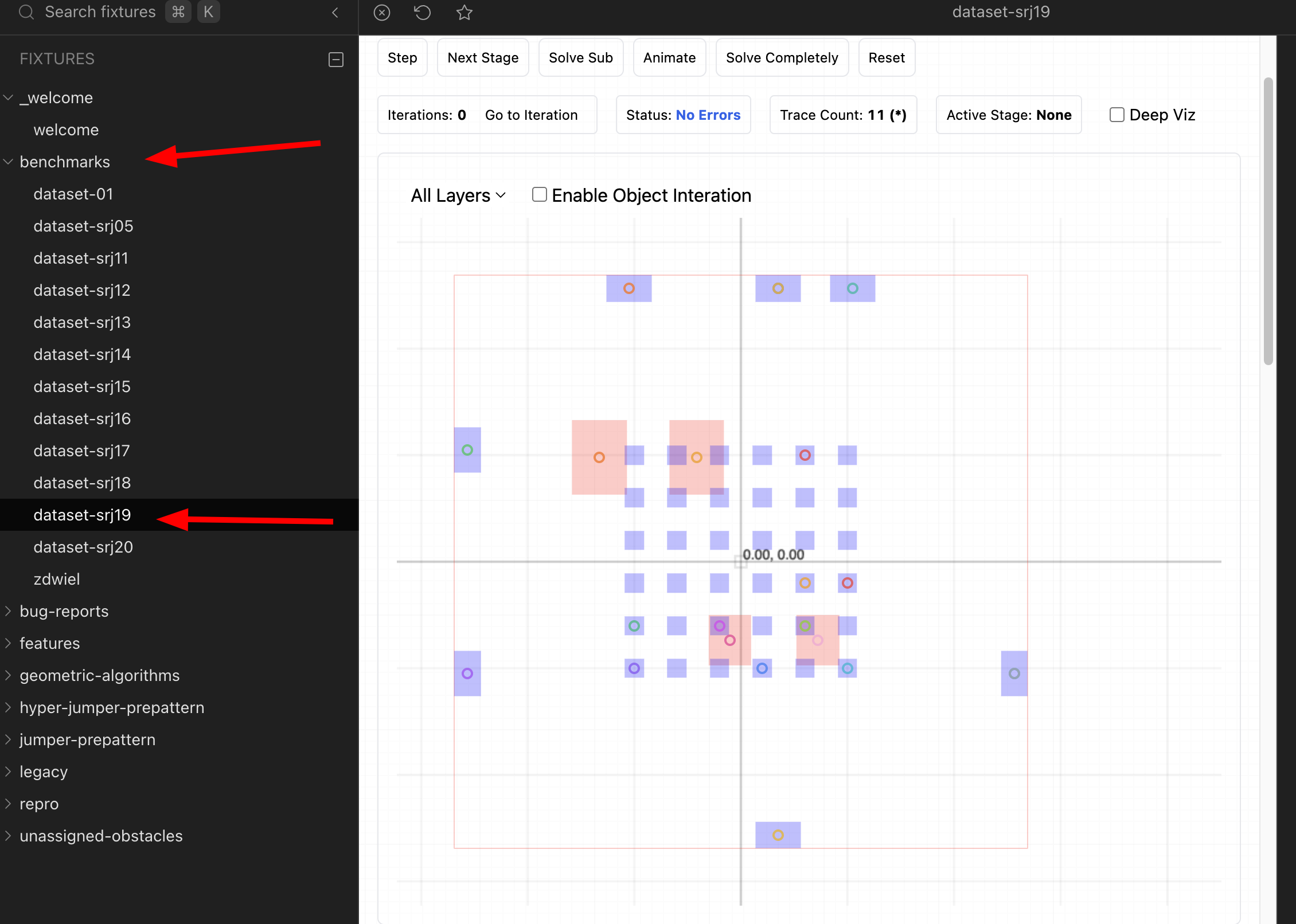
Every dataset should have a way to inspect samples before running a benchmark.
Use the
React Visualizers/Debuggers
guide for the Cosmos sample viewer pattern. The
dataset-srj19
repo is a good public example of a dataset with a viewer.
Add snapshot tests
Use the Dataset Guidelines for the dataset structure, then include at least one representative test so changes to generated Simple Route JSON or visualization output are easy to review.
Add the dataset to autorouter benchmarks
After the dataset repository is usable on its own, add a follow-up change to
tscircuit/tscircuit-autorouter
so router contributors can run the dataset locally.
After integration, the dataset should appear in the autorouter benchmark list.
Add the benchmark integration in this order:
- Pin the dataset in
package.jsonusing a GitHub URL and commit hash. - If TypeScript cannot infer the dataset package types, add a module shim in
types/dataset-module-shims.d.ts. - Add the dataset to
scripts/benchmark/scenarios.ts: include its short name inDATASET_NAMES, add aliases, add a loader, add the scenario key pattern, and updateDATASET_OPTIONS_LABEL. - Follow the
benchmark.shguide while updatingbenchmark.shhelp text and dataset parsing so contributors can run the dataset with./benchmark.sh --dataset <dataset-name>. - Add or update benchmark coverage so
--dataset <dataset-name>works consistently inbenchmark.sh,scripts/benchmark/scenarios.ts, andrun-sample.sh. - Run one targeted sample and a small benchmark with the dataset name you added before opening the PR.
If the dataset captures a reported autorouter bug, also read Report Autorouter Bugs. The autorouter repo has helpers for turning bug reports into fixtures and snapshot tests.